

Image
Image

Computer basic & Microsoft Office Package

Computer basic MS Office Package (MS Word, MS Excel, MS PowerPoint, Nepali Typing and Email & Internet) Training in Kathmandu, Nepal

Course Overview

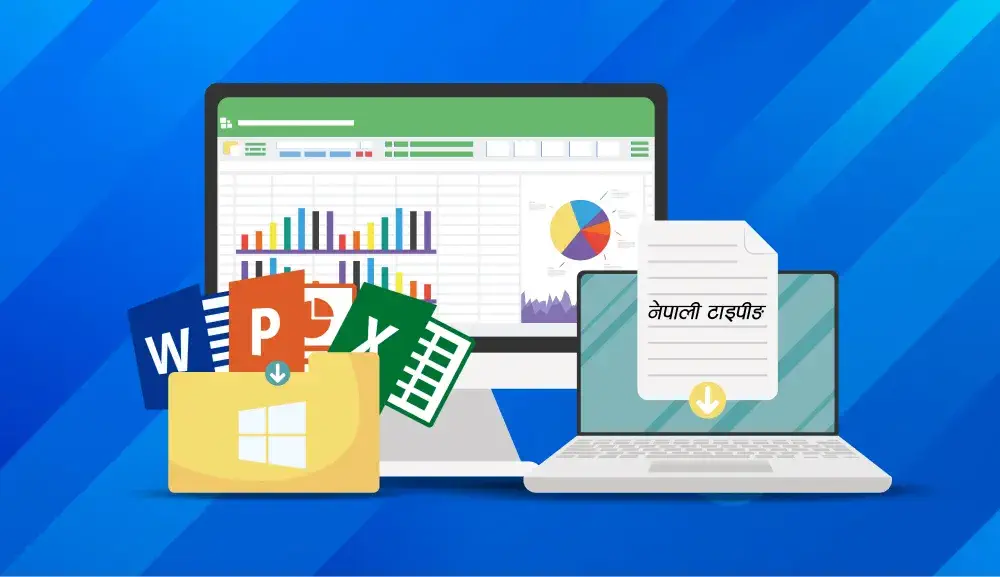
Mystic Academy Nepal has designed this Microsoft Office Training Course for professionals who handle day-to-day office tasks using essential office software, including Word, Excel, and PowerPoint. Unlike other computer training institutes in Kathmandu, we focus on building confidence and practical skills in Microsoft Office programs.
Microsoft Word Training helps you master word processing and create professional documents with ease. Microsoft Excel Training equips you to manage calculations, data entry, and data analysis efficiently. Microsoft PowerPoint Training guides you in designing impactful slides and presentations for meetings, seminars, and workshops.
Take the leap into a creative career and start designing visuals that impress, influence, and inspire!

CURRICULUM
Your Learning Journey

Our curriculum is researched, developed & updated by understanding the global scope & job demands. Conducted by industry-leading expert instructors, the program offers more than 85% of an in-depth practical approach backed by essential theoretical frameworks.


Skills you’ll learn

  • Computer Fundamentals : Know hardware, software, operating systems, and basic file management (create, copy, delete, and organize files).
  • Windows OS Essentials : Explore the Windows desktop, taskbar, system settings, control panel, and user accounts.
  • Word Processing (MS Word) : Prepare, format, and edit documents. Use styles, headers/footers, lists, tables, images, and mail merge.
  • Spreadsheet Skills (MS Excel) : Enter data and format it; use formulae and functions; sort and filter; create tables and charts; and apply basic data analysis tools.
  • Presentation basic (MS PowerPoint) : Create presentation slides, templates, and themes, insert text, images, and graphs, and add transitions and animations.
Curriculum

  • Introduction to types of basic devices
  • Introduction to Microsoft Word, Excel and Powerpoint

  • Introduction to Window Environment
  • Creating folders and managing folder structure to store files in order
  • Searching and opening files
  • Setting user privileges as per the users
  • Installing/setting applications and uninstalling applications
  • Configuring devices and installing device drivers
  • Virus and security threats; virus scanning and cleaning to avoid threats
  • Creating backups of files
  • Setting printing options before sending print commands
  • Writing files to removable drives, CD, or DVD using related software

  • Create and format text
  • Copy and paste; copy format and paste format
  • Develop headings and create formats in different styles
  • Creating styles and formatting documents
  • Find the desired text and replace with new text
  • Inserting pictures, formatting pictures, adjusting color, and arranging pictures
  • Inserting clipart, SmartArts, and graphs
  • Creating hyperlinks and adding comments
  • Working with header, footer, textbox, equation, and symbols
  • Working with page design and layout
  • Creating Table of Contents, footnotes, endnotes, list of tables, and list of figures
  • Creating bibliography, cross-references, and captions
  • Working with comments and Track Changes
  • Mail Merge
  • Viewing windows in different ways and comparing files

  • Setting Excel file options
  • Working with text formats and number formats
  • Creating tables and cell styles
  • Working with conditional formatting and table formats
  • Sort, filter, series fill, flash fill, and AutoSum
  • Inserting pictures, SmartArt graphics, charts, hyperlinks, headers/footers, equations, and symbols
  • Setting page layout, arranging shapes, and printing area setup
  • Working with basic Excel formulas to perform simple calculations
  • Working with logical functions, lookup, and reference functions
  • Defining table names and using them in formulas
  • Grouping/Ungrouping data
  • Sorting records
  • Working with text proofing and text editing
  • Protecting sheets with passwords
  • Viewing windows in different views
  • Freezing panes and splitting sheets
  • Data Validation(Data Validation,Create a validation rule)
  • Macros(Understanding macros,Recording macros,Running and editing macros)
  • Customization(Customizing the Quick Access Toolbar,Customizing the Ribbon, Connecting workbook)

  • Setting PowerPoint 2021 file environment
  • Building your own slides
  • Creating design and text in attractive formats
  • Searching new online templates and themes
  • Inserting tables, symbols, pictures, charts, and SmartArt graphics
  • Inserting video, audio, and screen recordings
  • Inserting background themes or templates for presentation
  • Applying attractive transitions
  • Applying attractive animations to designed text and objects
  • Setting timing with transitions and animations
  • Building up presentation and setting slideshow
  • Editing text and comparing presentations
  • Printing slides
  • Presentation views

Google :

  • Google Docs: Real-time document collaboration, version history, and commenting features.
  • Google Sheets: Sharing, analyzing data collaboratively, and advanced functions.
  • Google Slides: Collaborating on presentations with shared editing and live feedback.
  • Google Forms: Creating surveys, quizzes, and collecting responses through collaborative tools.

Microsoft :

  • Microsoft Word Online: Real-time collaboration on documents with editing, commenting, and version control features.
  • Microsoft Excel Online: Use advanced formulas and features.
  • Microsoft PowerPoint Online: Co-create presentations with live editing, comments, and shared design tools.
  • Microsoft Forms: Create surveys, quizzes, and collect responses with built-in analytics for collaborative review.

AI-Enhanced Collaboration Tools: Integrating Smart Features: :

  • Integrating AI to enhance productivity (e.g., smart suggestions in Google Docs and Sheets).
  • Using AI-powered tools to automate routine tasks (e.g., data analysis, content generation).
  • AI-assisted project management for smoother collaboration.

Internet

  • Understanding the World Wide Web
  • Key concepts and terminology
  • Using search engines effectively
  • Connecting to the Itnernet
  • Key concepts and terminology

Email

  • Sending up an email account
  • Sending and receiving emails
  • Organizing and managing email
  • using email for collaboration and group communication
  • Email etiquette and best practices
  • Addressing and composing professional emails

  • Tradition and Romanized Unicode
  • Preeti
FAQs

The web development course is designed to be completed in approximately 2.5 months

Yes, you will receive a physical certificate upon successful completion of the course. Additionally, your certificate can be verified online through our official website.

You can ask your questions directly in the classroom during sessions, or you can also reach out anytime through the online group chat.

Yes, you will receive access to recorded class videos and PDF materials via a shared drive. You can access these resources anytime, with lifetime availability.

No prior computer or Microsoft Office experience is required. This course is beginner-friendly and will guide you step-by-step from the fundamentals to advanced skills, helping you gain confidence and practical knowledge in everyday office tasks.

Image

Saluj Maharjan

Sr MIS
8 Modules
5

Sanjib is a Senior Computer & MS Office Instructor with extensive industry experience. He specializes in teaching practical skills for everyday office tasks, including Word, Excel, PowerPoint, and basic computer operations. He is passionate about making learning simple, clear, and hands-on, helping students gain confidence and efficiency in using essential software. Additionally, he enjoys mentoring learners, sharing practical tips, and equipping students with the skills needed to be job-ready and productive in professional environments


Price  Rs 10,000

NRP. 8,000 /

Courses Title
Computer basic & Microsoft Office Package
Language
Nepali
Course Level
Beginner
Duration
1.5 months
Certifications
Yes
Pass Percentage
99%
Mode
Physical & Online Live Classes (Day/Night)
Deadline
24 April, 2026
Instructor
Saluj Maharjan
Get Certificate

Get Quality Skills Certificate From the Mystic Academy

Get Started Now